SDRSharp configuration can be easy! Continuing previous post RTL-SDR Part #1 I will show you how to configure and use SDRSharp, basic tool for listening
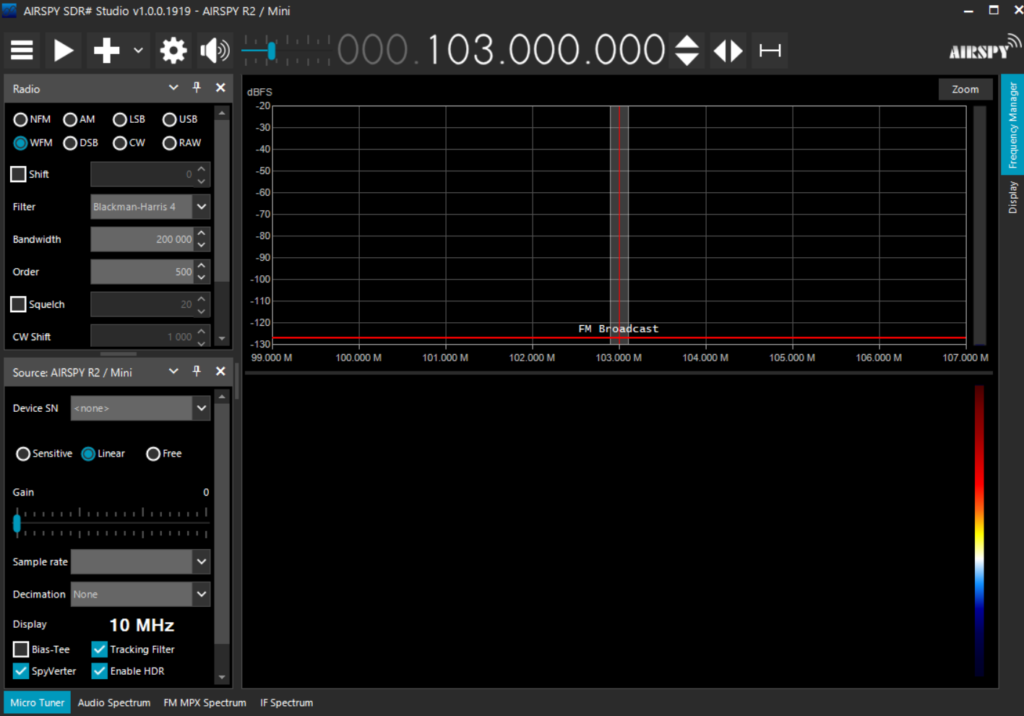
After executing SDRSharp.exe you will see window similar to this. At first it may seem very complicated but don’t worry I will explain everything. To not discourage you at the beginning – here is some minimum configuration setup to check if your device is working
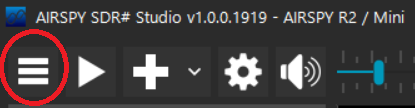
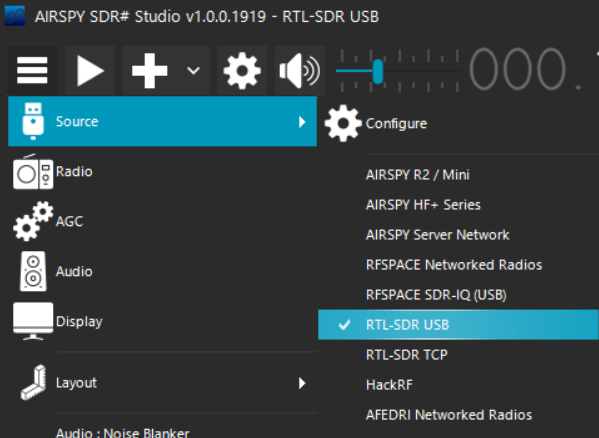
First thing you need to do is change source to our newly configured receiver Menu -> Source -> RTL-SDR USB
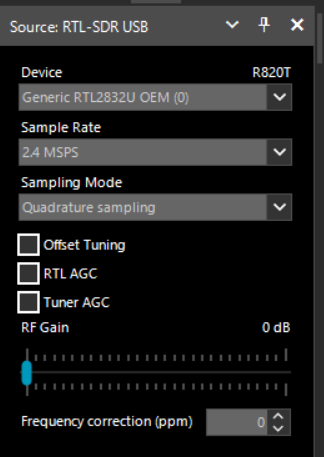
After selecting source on the left you should see RTL-SDR instead of default Airspy device. It should look like this out of the box. Take care if device field is not empty. If it is then go back to previous steps – something is wrong with your configuration
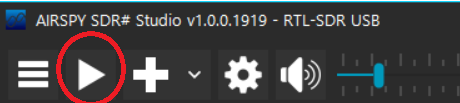
Without further explanation (for now) just click big play button on the top. It will start your device. If there is any mistake in configuration or drivers after pressing this button error will appear at this moment.
Now tune to your local broadcast radio by clicking on the numbers. If signal is too weak use “RF Gain” slider on the left. Every other setting should work out of the box for simple broadcast radio listening. Depening on your country information about local broadcast stations should be publicly available. For example in Poland HERE is the list with advanced tools to check what should be available in your location
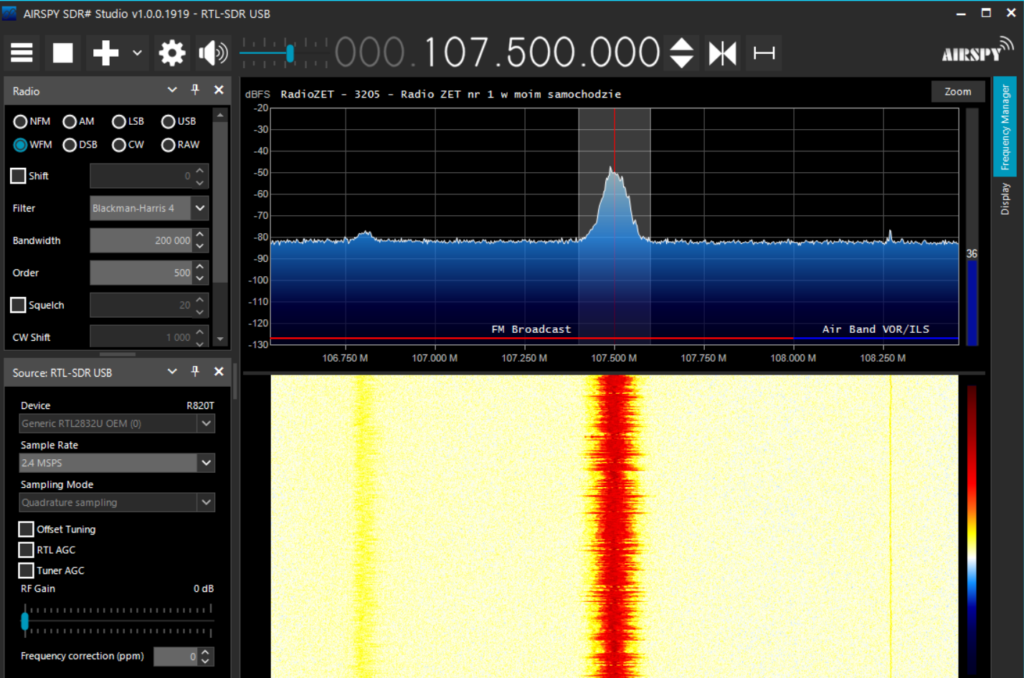
Congratulations, you’ve managed to receive “something”. If you don’t want to proceed further with SDRSharp configuration – listening to local broadcast stations can be interesting too – if there are good conditions you can catch radio stations from far away – check out THIS website about FM DX
If I managed to gain your interest (which I hope so 🙂 )- now we can move to more detailed interface analysis